Fast PDF text extraction and rendering, from scratch in Rust.
pdfboss parses PDFs, extracts text and Markdown, reads forms, bookmarks and attachments, rasterizes pages to PNG, PPM, BMP or JPEG, and merges, splits, rotates, watermarks and encrypts documents. One Rust core behind a CLI and Python bindings, built clean-room from the ISO 32000 spec: safe Rust, no C dependencies, no bindings to another engine. MIT OR Apache-2.0.
Prebuilt abi3 wheels for CPython 3.12+, no toolchain required.
The toolkit
Point it at a path or a URL.
The CLI ships info, text, md, render, images and tui, editing via merge, split, rotate, overlay, meta, rewrite, encrypt and decrypt, creation via create blank|text|images|md|manifest, and explorer subcommands json, hex, q (jq-style queries) and obj. Each takes a local path or an http(s) URL, fetched in byte ranges rather than downloaded whole.
$ pdfboss info quarterly.pdf
$ pdfboss md quarterly.pdf
$ pdfboss render quarterly.pdf
$ pdfboss images quarterly.pdf
# explore a remote file without downloading it
$ pdfboss json https://example.com/report.pdf
$ pdfboss q quarterly.pdf '.header.version'
$ pdfboss create text notes.txt -o out.pdf
$ pdfboss merge q1.pdf q2.pdf -o h1.pdf
$ pdfboss encrypt h1.pdf -o locked.pdf --user-password s3cret
$ pdfboss tui quarterly.pdf
import pdfboss

doc = pdfboss.Document("report.pdf")
text = doc.extract_text()
md = doc.extract_markdown()
png = doc[0].render(scale=2.0)  # PNG bytes; format="ppm", "bmp" or "jpeg" too
images = doc[0].extract_images()
fields = doc.form_fields()  # .name, .field_type, .text, .checked
toc = doc.outline()  # bookmarks; also page_labels(), embedded_files()
merged = pdfboss.write.merge([a, b])  # also split, rotate, encrypt, watermark

# async, straight off the wire
doc = await pdfboss.AsyncDocument.open_url(
    "https://example.com/report.pdf"
)
The explorer
See inside any PDF.
pdfboss tui opens the whole file as a lazy tree: pages with their fonts, images and content streams on the left, a pretty-printing inspector, live page preview and tracking hexdump on the right. The same element model answers q (jq-style queries over the document as a JSON tree) and hex (a hexdump of any object, xref section or byte range), and all of it works over an http(s) URL fetched in byte ranges.
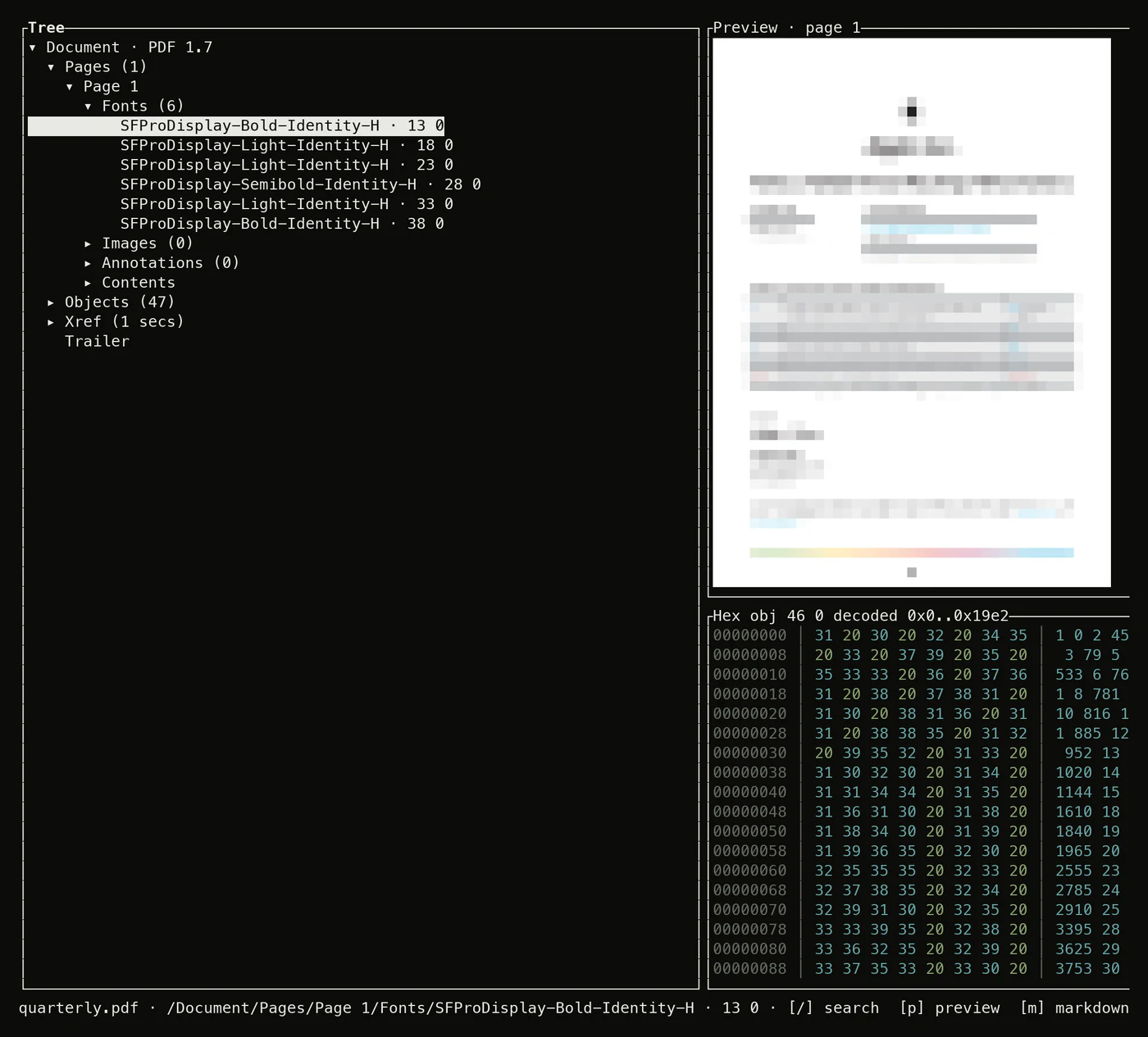
$ pdfboss q quarterly.pdf -r '.pages[0].fonts[].base_font'
SFProDisplay-Bold-Identity-H
SFProDisplay-Light-Identity-H
SFProDisplay-Light-Identity-H
SFProDisplay-Semibold-Identity-H
SFProDisplay-Light-Identity-H
SFProDisplay-Bold-Identity-H
$ pdfboss q quarterly.pdf '.objects | length'
47
$ pdfboss hex quarterly.pdf trailer
0000a7ed  34 37 20 30 20 6f 62 6a  0a 3c 3c 0a 2f 53 69 7a  |47 0 obj.<<./Siz|
0000a7fd  65 20 34 38 0a 2f 52 6f  6f 74 20 32 20 30 20 52  |e 48./Root 2 0 R|
0000a80d  0a 2f 49 6e 66 6f 20 33  20 30 20 52 0a 2f 46 69  |./Info 3 0 R./Fi|
0000a81d  6c 74 65 72 20 2f 46 6c  61 74 65 44 65 63 6f 64  |lter /FlateDecod|
0000a82d  65 0a 2f 54 79 70 65 20  2f 58 52 65 66 0a 2f 4c  |e./Type /XRef./L|
$ pdfboss hex https://example.com/report.pdf obj:5
Remote documents
Open PDFs straight off the server.
Every explorer command takes an http(s) URL where it takes a path. The document opens over ranged requests that fetch only the bytes the parser touches, batched adaptively: misses landing near each other double the batch, up to 8 MiB, and a far jump halves it. While the open runs, stderr draws a coverage map of exactly which stretches of the file have arrived, erased the moment the document is ready. A server that ignores Range costs one full download instead, reported with a progress bar.
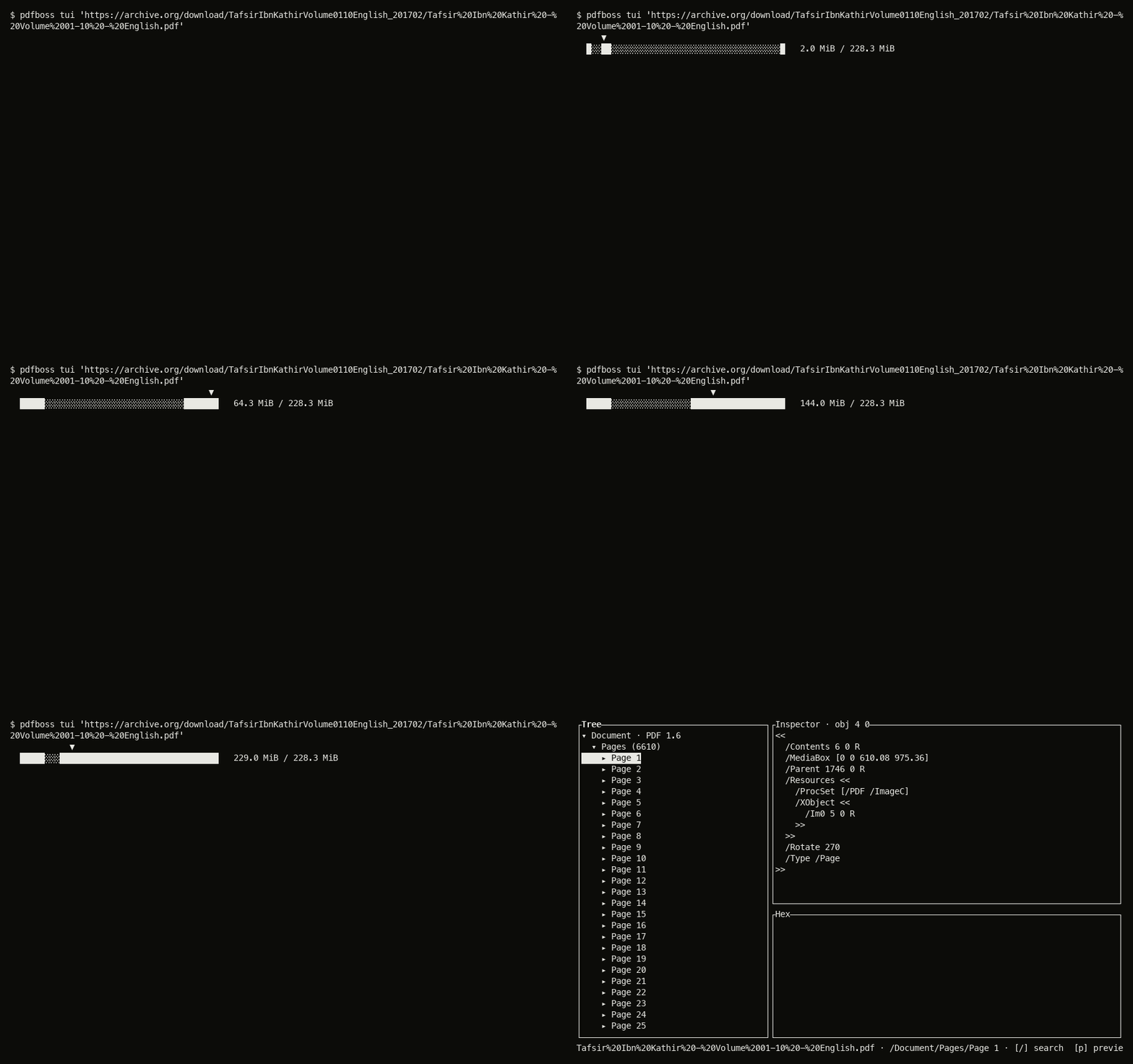
$ pdfboss q 'http://127.0.0.1:8180/tafsir.pdf' '.header.version'
pdfboss: server ignores Range requests, downloading the whole file (228.3 MiB)
[=============>                ]  45%  102.9 MiB/228.3 MiB
Composition
Documents compose with a pipe.
pdfboss.write builds PDFs from elements: pages and their text, paragraphs, images and links join with |, metadata, bookmarks and attachments slot into the document the same way, and one to_bytes() writes deterministic output. Prefer prose? CommonMark+GFM composes into a CSS-themed PDF, from the CLI, Python or Rust.
from pdfboss.write import Link, Metadata, Page, Paragraph, Pdf, Standard14, Text

cover = (
    Page(size="a4")
    | Text("Q3 Report", at=(72, 770), font=Standard14.HELVETICA_BOLD, size=28)
    | Paragraph("Prepared for the board. Revenue held, ...", rect=(72, 640, 420, 740))
    | Link(rect=(72, 60, 200, 80), url="https://example.com/q3")
)
data = (Pdf() | Metadata(title="Q3 Report") | cover).to_bytes()

# or compose markdown with a CSS theme
pdf = pdfboss.md.to_pdf(open("notes.md").read())
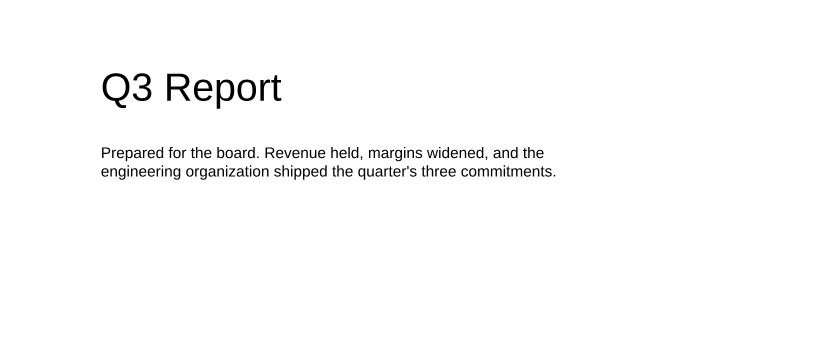
the composed page, rendered back by pdfboss render
# the same composition, from the shell
$ pdfboss create md notes.md -o out.pdf
$ pdfboss create md notes.md -o out.pdf --theme brand.css
$ pdfboss create manifest q3.toml -o out.pdf
$ pdfboss create images a.png b.jpg -o out.pdf
Benchmarks
Measured on real PDFs.
The fastest library measured on text extraction, open + parse, and rendering, including against the C-backed PyMuPDF.
Text extraction: ~24× PyMuPDF, ~36× pdf_oxide.
Open + parse: ~2.3× pdf_oxide.
Rendering the mixed corpus: ~35% ahead of pdfium itself.
On a 544-page JBIG2 scanned book, fastest of the four measured.
Under the hood
Thirteen crates, one implementation.
No borrowed decoders. pdfboss ships its own JPEG 2000 (ITU-T T.800), JBIG2, CCITT and ICC codecs, an anti-aliased vector rasterizer, layout analysis to plain text and Markdown, PDF creation, async range-fetching I/O, a CLI and TUI, and PyO3 bindings. Every crate is on crates.io under MIT OR Apache-2.0.
Reporting
“Rendering is lenient and it says so.”
Broken files still open
Real-world PDFs are messy, so the reader is lenient by design: it reconstructs broken cross-reference tables, tolerates wrong stream lengths, and skips garbage operators instead of refusing the file.
Nothing is dropped silently
Content the renderer cannot read is skipped so the rest of the page still rasterizes, and every dropped or approximated item lands in a report: render warnings on stderr, render_reporting in Rust, Page.render_reporting() in Python.
Checked against the standard
A ledger written in Lean lists every clause of ISO 32000-1 with the status pdfboss claims for it. CI proves each claim against citations in the source and the tests, so the conformance chapter always matches the code.
Compare
Switching from another library?
Side-by-side numbers, feature lists with the gaps included, and migration snippets for the libraries people most often arrive from.
pdfboss vs PyMuPDF →
Speed, the AGPL question, and what each one can and cannot do.
pdfboss vs pypdfium2 →
Two permissive licenses, one C++ engine and one Rust engine.
pdfboss vs pdfplumber →
Table extraction and per-character detail on one side, speed, rendering and Markdown on the other.
pdfboss vs pypdf →
One splits, merges and encrypts documents; the other reads and renders them fast.
PyMuPDF alternative without AGPL →
For teams shipping commercial or closed-source software.