Command line
PDF to text, Markdown and PNG from the terminal.
One binary, twenty subcommands. pdfboss converts, inspects, edits and creates PDFs, takes a local path or an http(s) URL for anything it reads, and reports what it had to skip instead of failing silently. Installed from crates.io, MIT OR Apache-2.0.
--no-default-features for a leaner binary.Convert
Text, Markdown, PNG and images.
render prints what it wrote and warns on stderr about anything dropped; images names every file it writes. Page numbers are 1-based on the command line.
$ pdfboss info report.pdf                     # version, page count, sizes, metadata
$ pdfboss text report.pdf --page 2            # PDF to text (omit --page for all pages)
$ pdfboss md report.pdf > report.md           # PDF to Markdown: headings, lists, tables
$ pdfboss render report.pdf --page 1 -o page.png --scale 2.0   # or .ppm / .bmp / .jpg
$ pdfboss images report.pdf -o out/           # embedded images as native-size PNGs
Subcommands
Everything the binary does.
| info | Version, page count, page sizes and metadata |
|---|---|
| text | Extract plain text, all pages or one |
| md | Extract Markdown with headings, lists and tables from layout |
| render | Rasterize a page to PNG, PPM, BMP or JPEG at a scale |
| images | Write every embedded image on a page at native size |
| obj | Print one object by number |
| json | The whole document as a JSON element tree |
| hex | Hexdump of any object, xref section or byte range |
| q | jq-style queries over the element tree |
| tui | The terminal explorer |
| create | blank, text, images, md or a TOML manifest to a new PDF |
| merge | Selected pages from several inputs into one fresh document |
| split | Cut a document into consecutive chunks of pages |
| rotate | Rotate selected pages by a quarter turn |
| overlay | Draw the first page of another PDF onto every page, over or under the content |
| meta | Set title, author, subject, keywords, creator or producer |
| rewrite | Write the document fresh, recompressed, without unreachable objects |
| encrypt | AES-256 protect a fresh copy with user and owner passwords |
| decrypt | Remove encryption, writing a plain copy |
| skill | Install or print the bundled Claude Code skill |
Encrypted files open with --password. Full flags per subcommand in the CLI reference.
Explore
See inside any PDF, local or remote.
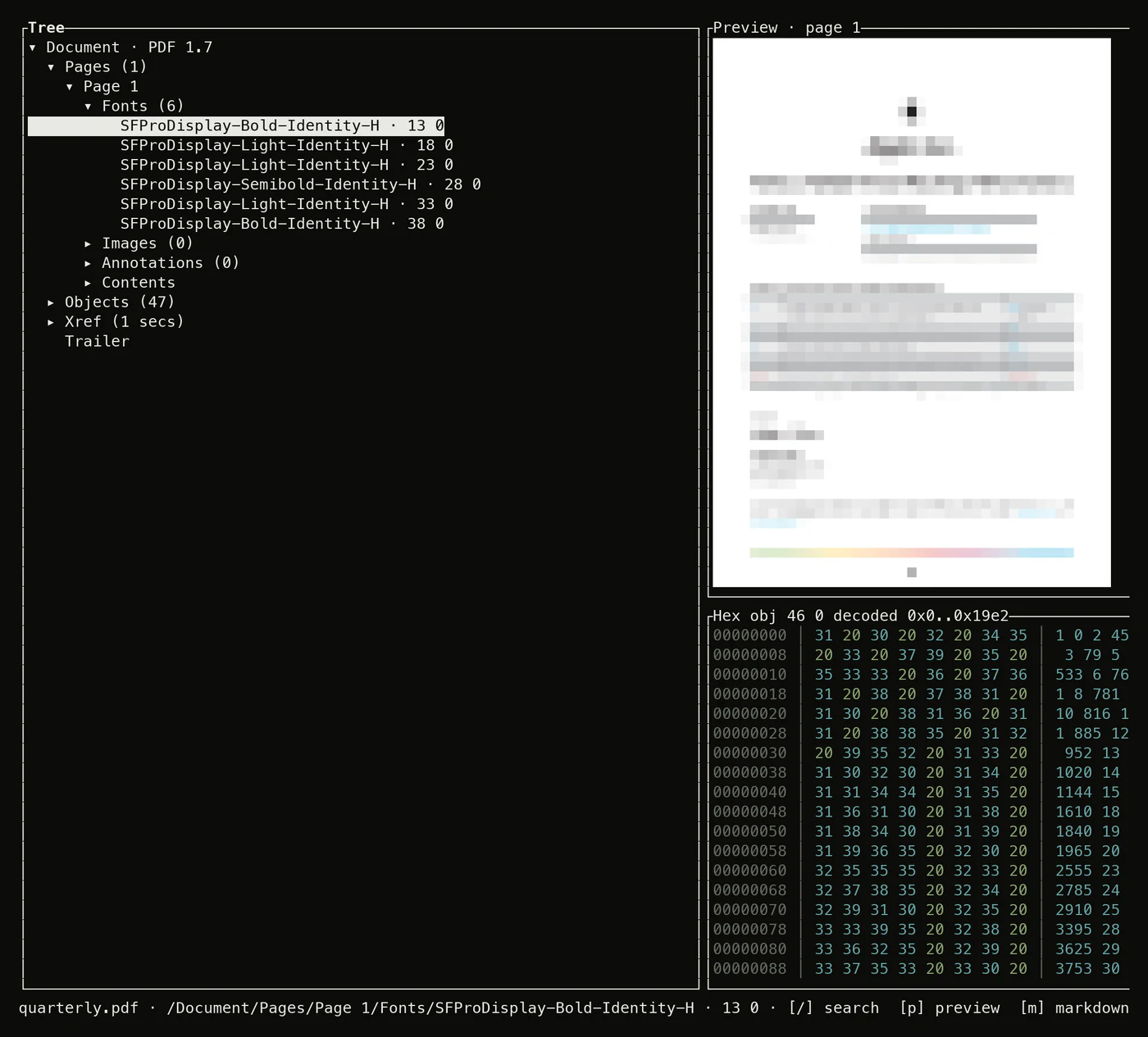
tui opens the file as a lazy tree: pages with their fonts, images and content streams, a pretty-printing inspector, a live page preview and a tracking hexdump. The same element model answers json, q and hex.
# fetched in byte ranges, never downloaded whole
$ pdfboss json https://example.com/report.pdf --no-logical > tree.json
$ pdfboss q https://example.com/report.pdf -r '.pages[].fonts[].base_font'
$ pdfboss hex report.pdf header
$ pdfboss tui https://example.com/report.pdf
Edit
Merge, split, rotate, overlay, encrypt.
rotate, overlay and meta append an incremental update by default, so the original bytes stay in the file; --rewrite writes the document fresh instead. merge, split, rewrite, encrypt and decrypt always write a fresh file. Encrypted inputs open with --password.
$ pdfboss merge q1.pdf q2.pdf -o h1.pdf
$ pdfboss split h1.pdf -o part-%d.pdf --every 10
$ pdfboss rotate scan.pdf -o upright.pdf --by 90 --pages 2,4-9
$ pdfboss overlay report.pdf draft.pdf -o stamped.pdf --under
$ pdfboss meta report.pdf -o report-2.pdf --set title="Q3 Report"
$ pdfboss encrypt report.pdf -o locked.pdf --user-password s3cret
$ pdfboss decrypt locked.pdf -o report.pdf --password s3cret
$ pdfboss rewrite old.pdf -o compact.pdf      # drop unreachable objects and old updates
Create
New PDFs from text, images, Markdown or a manifest.
create md composes CommonMark+GFM with a CSS theme; create manifest assembles pages, metadata, bookmarks and attachments from one TOML file. Output is deterministic.
$ pdfboss create blank -o blank.pdf --pages 3 --size letter
$ pdfboss create text notes.txt -o notes.pdf --font times-roman
$ pdfboss create images scan-1.png scan-2.png -o scans.pdf
$ pdfboss create md notes.md -o notes.pdf --theme theme.css
$ pdfboss create manifest q3.toml -o q3.pdf